
Timesheet approvals
How to build a reliable timesheet approval workflow
Set up a timesheet review process with clear owners, correction steps, and approval deadlines so your team can use time records with confidence.
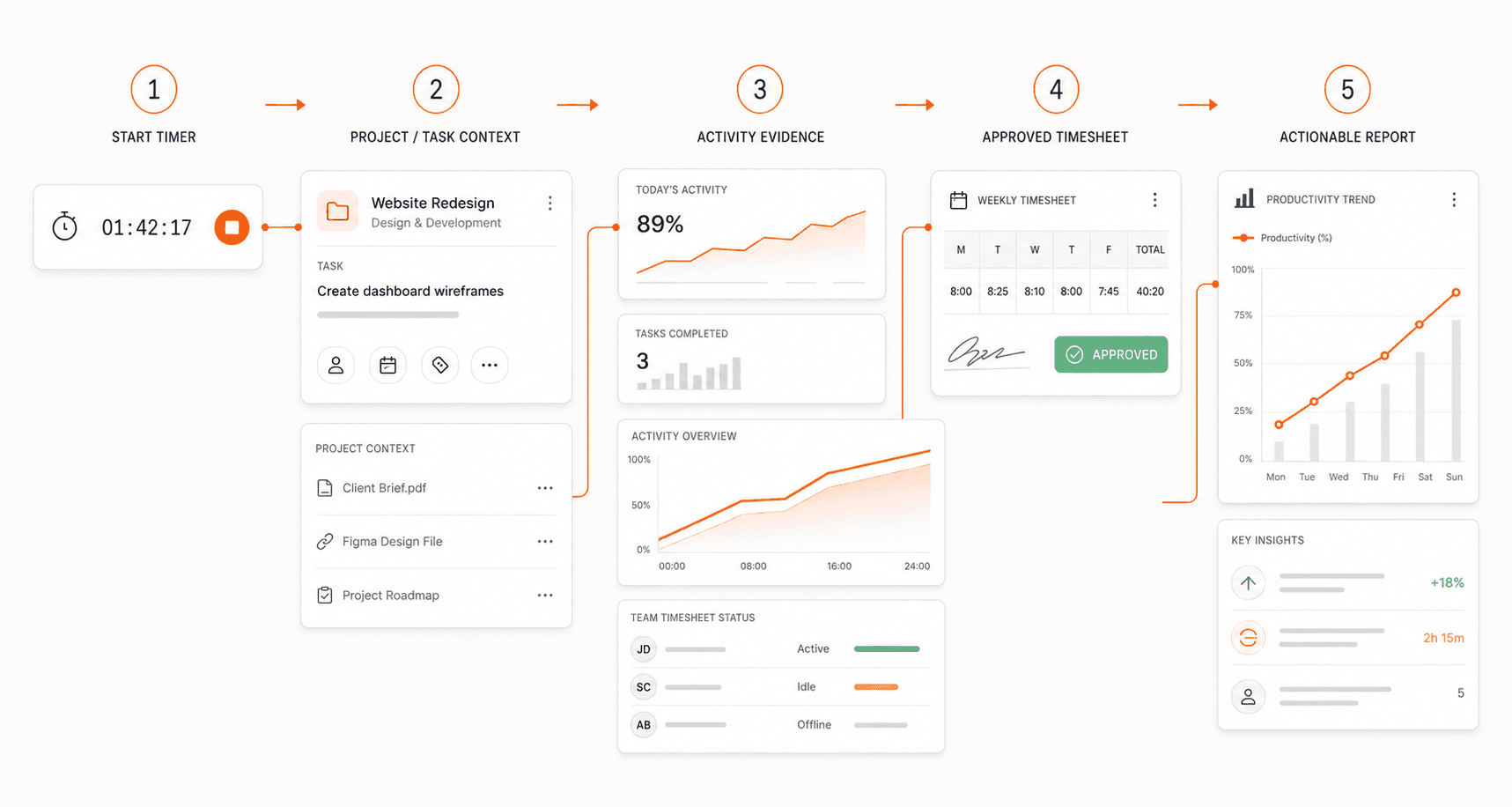
Give each timesheet a clear reviewer
A timesheet approval workflow connects the person recording time with someone who can verify its context. Start by deciding who reviews each team's entries and who handles questions when that reviewer is unavailable. Without clear ownership, the same record can be reviewed twice or left waiting indefinitely.
Choose a reviewer who understands the work. A project lead may be able to explain a delivery task, while another manager handles shared administrative time. Document that division before the first review cycle so employees know where to direct a correction.
Define what a complete submission looks like
Agree on the information needed for review: the relevant period, project or task assignment, recorded duration, and a note for any unusual entry. The point is to make records understandable, not to require a long narrative for every session.
For example, a two-hour meeting assigned to a client project may need no further explanation. An overnight session caused by a forgotten timer does. Give people a chance to review their own entries before the submission deadline, while the details are still fresh.
Resolve questions before approval
Review missing assignments, overlapping records, unexpectedly long sessions, and notes that request a correction. These are prompts for a conversation, not proof that an entry is wrong. Check the task context with the person who recorded the time before deciding what should change.
When returning an entry, describe the issue precisely. Asking someone to confirm a session's end time is more actionable than saying their timesheet needs fixing. Agree on a correction deadline and keep the reason understandable to whoever reviews it next.
Keep approval status visible in reporting
Before sharing a total, identify whether it includes unreviewed time. A project report compiled before corrections may differ from the approved record. Use a consistent reporting period and explain which records are included so readers can compare like with like.
If a record changes after approval, follow your organization's correction process rather than silently replacing a previously shared total. The people using the report need to understand what changed and whether their decisions need revisiting.
Use ClareSight to connect time and review
ClareSight offers timesheet approvals alongside tracked time, project context, and reports, subject to your plan and settings. Use these features to support a defined review process. Software helps organize the record, while your team still needs clear responsibilities and consistent review expectations.
After the first few cycles, ask where submissions get stuck. Missing task names, unclear reviewer ownership, and late corrections each need a different response. Fix that recurring source of friction before adding more approval steps.
Explore the workflow
See how ClareSight works, review the available features, or get the app.
← All articles